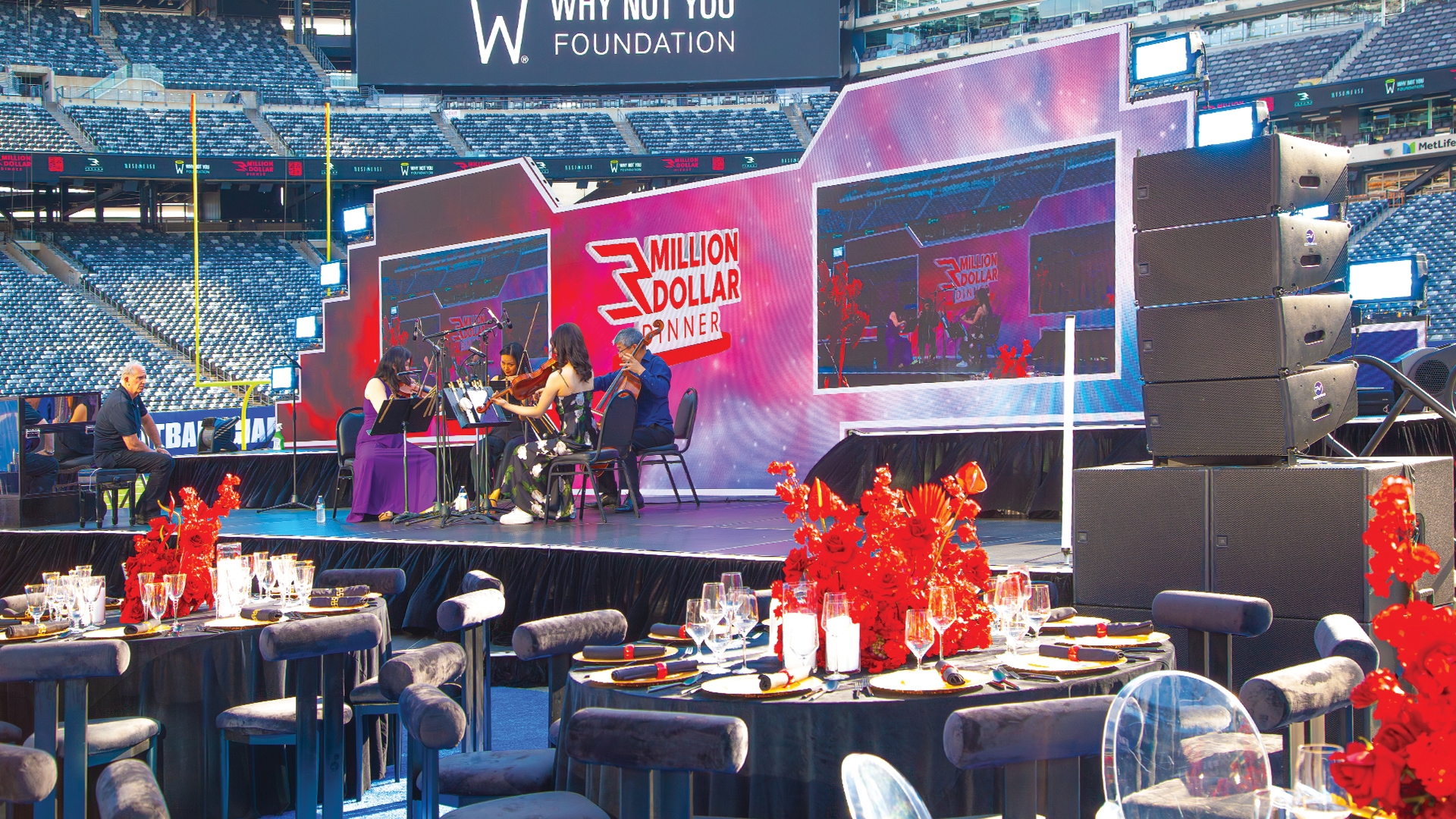
LED screens have become the visual centerpiece of concerts, corporate events, sports stadiums, and retail environments worldwide. Understanding how these displays actually create images helps event planners and AV professionals make informed decisions about specifications, placement, and content design.
The Basic Building Block: Light-Emitting Diodes
Every LED screen begins with semiconductors that emit light when electrical current passes through them. Unlike traditional light bulbs that produce light through heating a filament, LEDs generate light through electroluminescence, where electrons release energy in the form of photons as they move through semiconductor material. This process is far more efficient, converting a higher percentage of electrical energy directly into visible light with minimal heat waste.
The color of light an LED produces depends on the semiconductor materials used. Gallium arsenide compounds create red and infrared light, while gallium nitride produces blue light. Green LEDs also use gallium nitride with different dopants. These three primary colors combine in various intensities to create the full spectrum of visible colors on LED displays, following the same additive color mixing principles used in all digital screens.
From Individual LEDs to Pixels
A single pixel on an LED screen contains multiple LED elements. Most commonly, each pixel includes one red, one green, and one blue LED clustered closely together. When viewed from a distance, these three colors blend together, creating the perception of a single unified point of color. By varying the brightness of each LED within the cluster, the pixel can produce millions of different colors.
The distance between pixel centers, measured in millimeters, is called pixel pitch. A 2.5mm pixel pitch means the center of one pixel is 2.5mm from the center of adjacent pixels. Smaller pixel pitch means more pixels per square meter, resulting in higher resolution and sharper images when viewed up close. Larger pixel pitch reduces cost and is appropriate for displays viewed from greater distances.
SMD Versus DIP Technology
Two primary LED packaging technologies dominate the market. Surface Mount Device (SMD) LEDs package the red, green, and blue elements in a single tiny enclosure mounted flat on the circuit board. This design enables tighter pixel pitches and wider viewing angles, making SMD the standard for indoor displays and close-viewing applications.
Discrete in-line package (DIP) LEDs use separate housings for each color, with each LED protruding from the circuit board in a small cylindrical package. DIP technology offers superior brightness for outdoor applications and better protection against moisture and physical impact. The larger component size limits pixel pitch, but this matters less for outdoor displays typically viewed from greater distances.
How Panels Form Complete Displays
Individual LED components are assembled onto circuit boards to create modules, typically ranging from 160mm to 320mm square. Multiple modules mount in a structural frame called a cabinet, which provides mechanical support, power distribution, and signal routing. Cabinets are the practical building blocks of LED walls, designed for rapid assembly and disassembly.
Cabinet sizes vary by manufacturer and application but commonly measure 500mm x 500mm or 500mm x 1000mm for rental and touring products. Front-serviceable cabinets allow module replacement from the viewing side without removing the entire panel from a structure. Rear-serviceable designs require access behind the display but can achieve thinner profiles and lighter weight.
Driving the Display: Controllers and Processors
LED screens require sophisticated electronics to convert video signals into the precise current levels needed by millions of individual LEDs. A sending device, typically a computer with specialized hardware, receives video input and converts it into data packets transmitted to the LED wall. This sending device handles tasks like scaling content to match the wall’s resolution and mapping video to non-standard display configurations.
Receiving cards mounted in each cabinet decode the incoming data stream and control the LEDs in their assigned modules. These cards determine brightness levels for each LED thousands of times per second, creating smooth gradients and accurate color reproduction. High-end receiving cards offer higher bit depth, typically 14 to 16 bits per color, enabling smoother gradients and better low-brightness performance than budget alternatives.
Refresh Rate and Camera Capture
LED screens update their image at rates specified in Hertz (Hz), indicating how many times per second the complete image refreshes. However, the visual refresh rate visible to cameras differs from how LEDs actually operate. The refresh rate specification on LED products refers to the scan rate, describing how quickly the driver circuitry cycles through all pixels.
Cameras capturing LED screens can reveal scan lines and flickering not visible to human eyes because camera shutter speeds are faster than the LED refresh cycle. Higher refresh rates, typically 1,920Hz to 3,840Hz on professional products, ensure smooth capture on video without visible banding. This specification matters significantly for broadcast applications, live streaming, and any event where social media content will be captured.
Brightness and Viewing Conditions
LED brightness is measured in nits, equivalent to candelas per square meter. Indoor LED walls typically operate at 600 to 1,500 nits, sufficient for controlled lighting environments. Outdoor displays require 5,000 to 10,000 nits to remain visible in direct sunlight. Higher brightness comes at cost: more power consumption, more heat generation, and faster LED degradation over time.
Operating LEDs at maximum brightness continuously shortens their lifespan and can create color inconsistencies as different colored LEDs age at different rates. Professional installations set brightness to the minimum level required for the viewing environment, preserving LED life and maintaining consistent color across the display surface. Many controllers include ambient light sensors that automatically adjust brightness based on environmental conditions.
Color Calibration and Consistency
Individual LEDs vary slightly in brightness and color even from the same manufacturing batch. Without correction, these variations create visible patterns and color shifts across the display. Manufacturers measure each LED and program correction data into the receiving cards, adjusting drive levels to achieve uniform brightness and color across all pixels.
As LEDs age, their brightness decreases and color characteristics shift. High-end LED walls include calibration capabilities that measure current output and adjust correction factors to maintain uniformity over time. Point-by-point calibration uses cameras to measure thousands of individual pixels and generate updated correction data. This process extends the usable life of LED investments by maintaining visual quality as components age.
Power Requirements and Distribution
LED walls consume substantial power, typically 300 to 800 watts per square meter depending on brightness and pixel density. A modestly sized 4-meter by 3-meter display might draw 5,000 to 10,000 watts at full brightness. Power requirements drop significantly when displaying darker content, as LEDs producing black consume essentially no power.
Most professional LED systems operate on standard AC power, with conversion to the low DC voltages LEDs require happening inside each cabinet. Redundant power supplies in each cabinet ensure that a single power supply failure doesn’t black out entire sections. Power distribution through the display uses specialized locking connectors that maintain connections under the vibration and mechanical stress of touring applications.
Signal Distribution and Cabling
Video signals reach LED walls through various pathways. Copper-based Ethernet cabling handles runs up to 100 meters, suitable for most indoor applications. Fiber optic transmission extends this range to several kilometers, enabling displays far from control positions. Most systems daisy-chain cabinets, passing signal from one cabinet to the next, reducing the total cable count required.
Redundant signal paths protect against cable failures by providing backup data routes. If a primary signal cable fails, the system automatically switches to the backup path with minimal disruption. Professional installations plan cable routing to minimize single points of failure and ensure that individual cable problems don’t affect large portions of the display.
Putting It All Together
Understanding LED screen technology enables better conversations with vendors, more informed specification decisions, and realistic expectations about capabilities and limitations. The technology continues advancing rapidly, with pixel pitches shrinking, brightness increasing, and prices decreasing. What was considered premium specification five years ago is now standard, making high-quality LED displays accessible for an ever-wider range of applications.
Whether renting for a single event or installing permanently, knowing how LED screens actually work helps ensure the chosen solution matches the application requirements. The right combination of pixel pitch, brightness, and features transforms visual presentations into memorable experiences that engage and inform audiences.
